What is 3D rendering?
3D rendering is the computer process that turns a three-dimensional digital model, with its materials, lights and camera, into a two-dimensional image or animation. In architecture and product design it produces photoreal pictures of buildings, rooms and products before they are built or photographed.
By the 3D Rendering Agency team · Updated
This page is the starting point of our guide to 3D rendering explained in plain terms. It follows one kitchen scene from a bare model to a finished picture, then covers the two kinds of rendering, what makes a render look real, the software, the effect of AI, and what a render costs and how long it takes.
What does 3D rendering do?
3D rendering calculates how light falls on every surface of a 3D model as seen from a chosen camera, and outputs a finished picture that shows a design before it exists. That is the working 3D rendering definition, and it answers what 3D rendering means in a studio: a model goes in, a picture comes out. A 3D render, or a 3D rendering, is that finished picture, so 3D renderings are the stills and animation frames a studio delivers. The 3D render meaning is the same in both spellings. To define 3D rendering in one line for a client: it is photography of something that so far exists only as a file. Rendering in 3D differs from drawing because nobody paints the shadows or reflections by hand; the software works them out from the geometry, the materials and the lights.
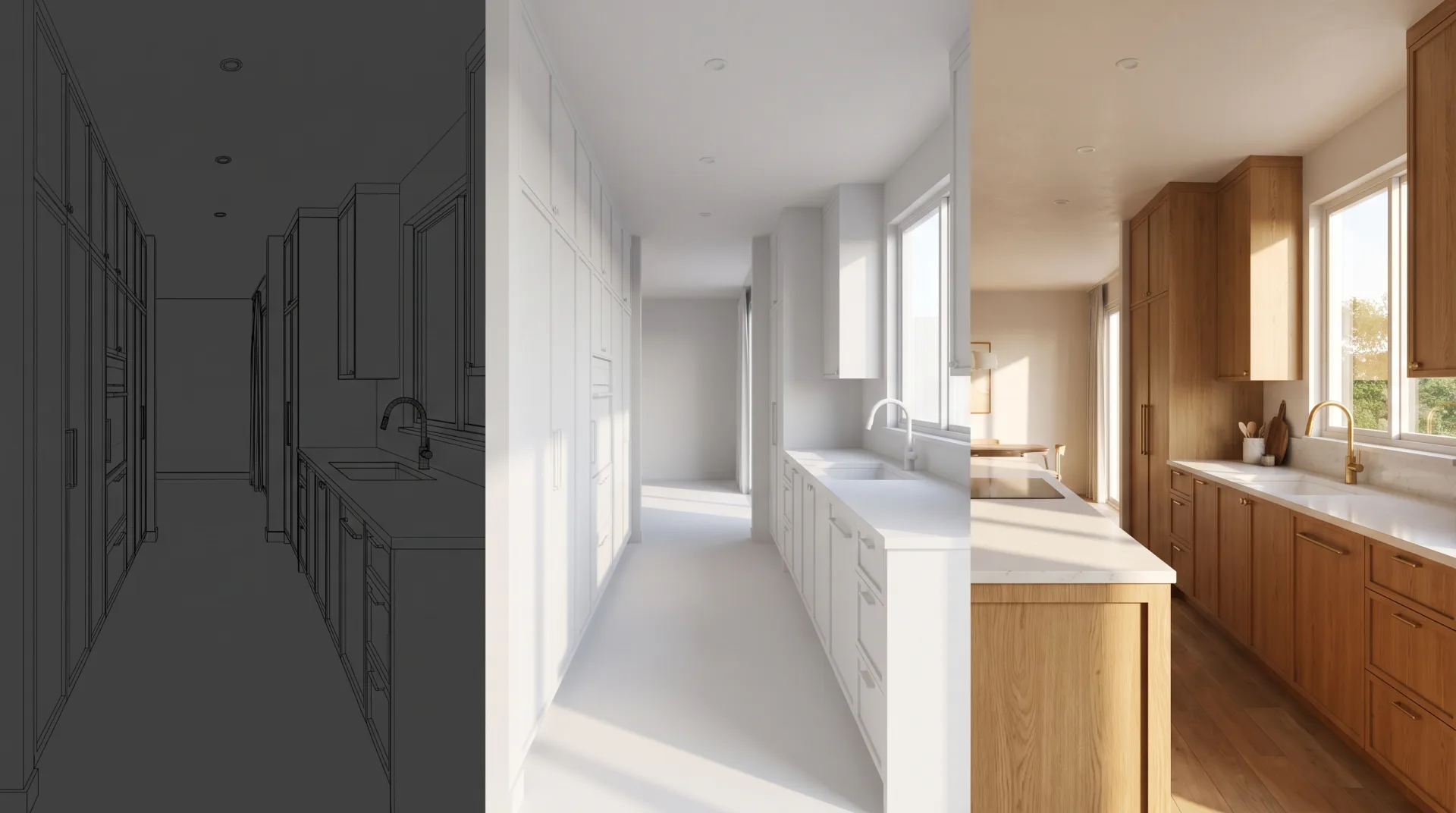
The image above shows one kitchen at three stages. The wireframe is the model as geometry only. The clay view adds light and shadow but no materials. The final view is the rendered picture: materials, lighting, camera and finishing together. Rendering is the step that turns the first two into the third.
What is rendering in computer graphics?
In computer graphics, rendering is the step that converts scene data (geometry, materials, lights and a camera) into pixels; 3D rendering is the case where that scene is three-dimensional. Computer rendering is the general term, and graphics rendering, visual rendering and rendering technology all describe the same job: a program reads a description of a scene and outputs an image. The rendering meaning in computer science is set out in the Wikipedia article on rendering), which defines it as the process of generating an image from input data such as 3D models.
Rendering in computer graphics covers video games, film effects, product images and architectural pictures. They all use the same principles and differ in how much time each image may take. The word has other senses too: a rendering can be an artist's drawing, a coat of plaster on a wall, or the way a browser draws a web page. Readers who meant one of those will find them on our page about what the word rendering means across fields. This page covers only the 3D sense.
How does 3D rendering work?
3D rendering works in six steps: build the model, assign materials, place lights, set the camera, let the render engine compute the light, then finish the image in post-production. Rendering in 3D always follows this order, whether you create a rendering of a kitchen, a tower or a chair, because each step depends on the one before it.
- Build the model. An artist builds the geometry from drawings, CAD or BIM files, sketches or photos, at real-world dimensions.
- Assign materials. Each surface gets a material that describes its color, roughness, reflectivity and texture, such as oak flooring, brushed steel or matte plaster.
- Place the lights. The artist adds the sun and sky, or an HDRI image of a real sky, and every interior fixture, with realistic brightness and color temperature.
- Set the camera. The artist chooses the viewpoint, lens, height and framing, just as a photographer would on site.
- Let the render engine compute the light. The engine traces how light travels from each source, bounces between surfaces and reaches the camera. Offline engines do this with ray tracing, which follows the paths of light to produce accurate reflections, refraction and soft shadows.
- Finish the image in post-production. The artist adjusts color, contrast and exposure, adds people, plants or sky detail where needed, and exports the final file.
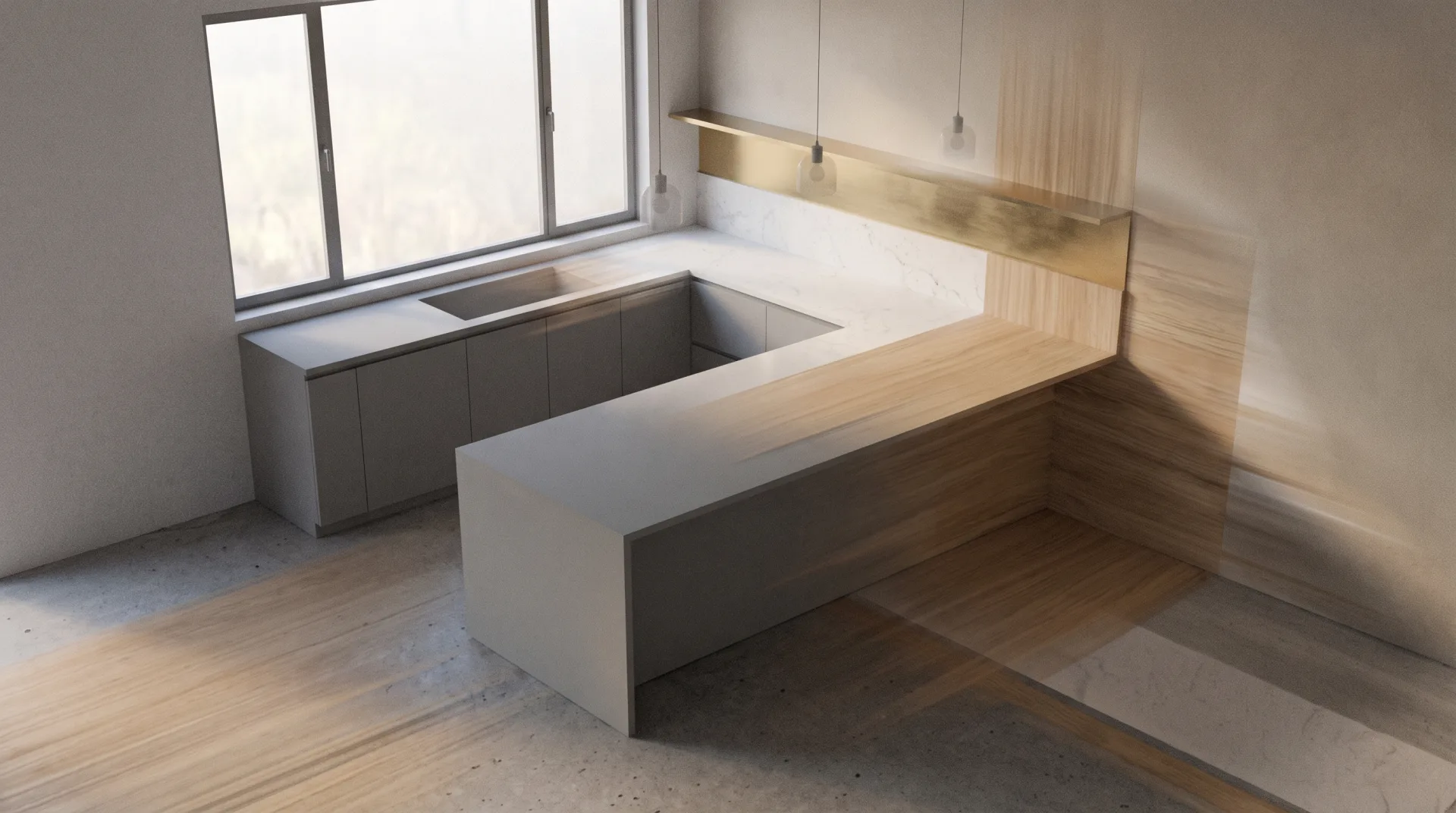
Each step has more to it than one line can hold. Our walkthrough of the 3D rendering process step by step covers render passes, test renders and the checks a studio makes before a client sees a draft.
What is the difference between 3D rendering, 3D modeling and 3D visualization?
3D modeling builds the digital object, 3D rendering turns that object into a picture, and 3D visualization is the whole job of showing a design in images, of which rendering is the main step. A model with no render is a shape you can only view in the software. A render with no model is impossible. Visualization is the broader word clients use for the service.
| Term | What it is | What you get | Read more |
|---|---|---|---|
| 3D modeling | Building the geometry of a building, room or product in software, at real dimensions | A 3D file, such as MAX, SKP, RVT, OBJ or FBX | What is 3D modeling? |
| 3D rendering | Calculating the light on that model from a camera and producing pixels | Still images, animation frames or panoramas | This page |
| 3D visualization | The full service of presenting a design visually: modeling, rendering, animation and interactive views | A set of images, films or tours that explain a project | What is 3D visualization? |
What is the difference between real-time and offline rendering?
Real-time rendering draws an image in a fraction of a second so a viewer can move through the scene, while offline rendering spends minutes or hours per image to calculate light accurately. Real-time engines rely mainly on rasterization, which converts the model's triangles straight to pixels, and add selected ray-traced effects where the graphics card allows. Offline engines trace light through many bounces, which is slower and more accurate. According to Wikipedia), a single offline film frame can take hours or even days to render.
| Method | How light is computed | Time per frame | Typical use | Example tools |
|---|---|---|---|---|
| Real-time rendering | Mostly rasterization, with approximated shadows, reflections and bounced light | A fraction of a second, fast enough for smooth movement | Design review, walkthroughs, virtual tours and VR | Enscape, Lumion, Twinmotion, Unreal Engine |
| Offline rendering | Ray tracing or path tracing, following light through many bounces | Minutes to hours for a high-resolution still | Marketing stills, approval images, animation | V-Ray, Corona, Cycles |
The choice depends on the job. A client walking a building in VR needs real-time speed. A developer's brochure cover needs the accuracy of offline rendering. Our page on real-time rendering covers tours, VR and the hardware they need.
What makes a 3D render look real?
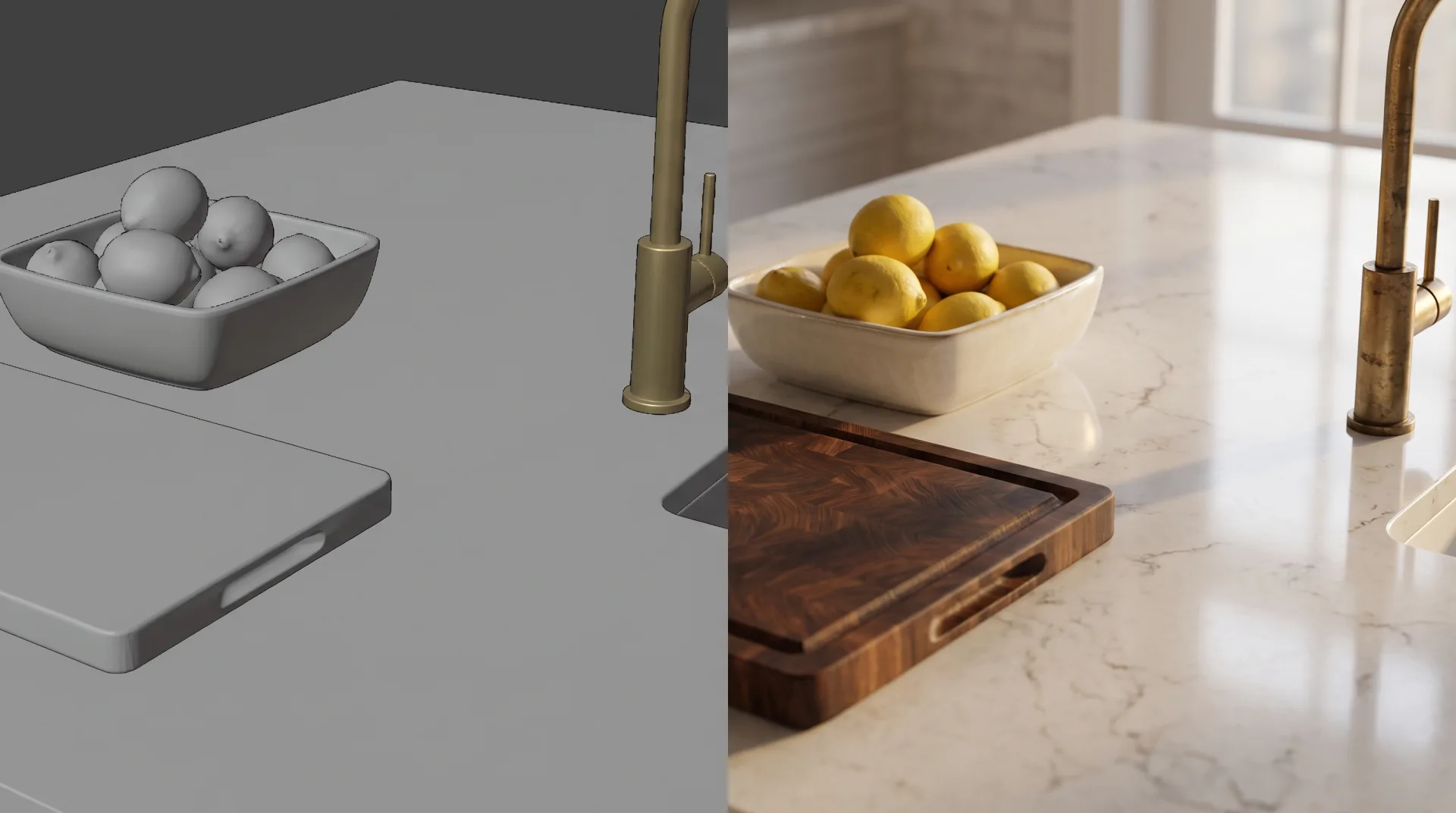
A render looks real when its materials, lighting, camera and resolution follow how a real photograph is made. Most renders that look fake fail on one of the six ingredients below, not on the software. The full checklist of what makes a rendering photorealistic has its own page.
| Ingredient | What it controls | Read more |
|---|---|---|
| Lighting | Mood, time of day and realism. It decides more than any other setting. | Lighting in 3D rendering |
| Materials | How each surface reflects, absorbs and scatters light. Materials behave correctly because modern engines use physically based values. | Physically based rendering (PBR) |
| Photoreal finishing | Small imperfections, wear, scale details and color grading that remove the clean computer look | What makes a rendering photorealistic |
| Camera | Lens, height and focus. A real lens blurs what is out of focus, and the render should too. | Depth of field |
| Edges | Smooth lines on rooflines, window frames and furniture instead of stair-stepped pixels | Anti-aliasing |
| Resolution | The pixel size of the output, which must suit a web page, a brochure or a billboard | Render resolution |
What are 3D renderings used for?
3D renderings are used to sell, approve and explain buildings, interiors and products before they are built, through still images, animations, floor plans and virtual tours. 3D rendering and animation share one model: once a scene is built for stills, the same scene can be rendered frame by frame as a film. You can see examples of each use below in the agency's rendering portfolio.
| Rendering type | What it shows | Who buys it | Service |
|---|---|---|---|
| Exterior rendering | A building in its setting, by day, dusk or night | Architects, developers, home builders | Exterior rendering |
| Interior rendering | A finished room with furniture, finishes and light | Interior designers, developers, architects | Interior rendering |
| Product rendering | A product on white or in a lifestyle scene | Product, furniture and packaging brands | Product rendering |
| 3D floor plan | A furnished plan seen from above at an angle | Real estate agents, developers, home builders | 3D floor plans |
| Animation | A camera moving through or around a project, or a product in motion | Developers, architects, product brands | 3D animation |
| Virtual tour | 360 panoramas the viewer can turn and move between | Developers, real estate agents, hospitality | Virtual tours |
What software is used for 3D rendering?
Studios model in tools such as 3ds Max, SketchUp, Revit, Rhino or Blender and produce final images with render engines such as V-Ray, Corona, Cycles, Enscape or Lumion. Most professional work uses two programs: one to build the model and one to render it. Our team works mainly in 3ds Max with Corona and V-Ray, with Blender and Cycles for some scenes, and takes models from Revit, SketchUp, Rhino and AutoCAD.
| Tool | Role (modeling or rendering) | Common in |
|---|---|---|
| 3ds Max | Modeling, and host for V-Ray and Corona | Architectural visualization studios |
| SketchUp | Modeling | Architects, interior designers, home builders |
| Revit | BIM modeling | Architecture and engineering firms |
| Blender | Modeling and rendering (Cycles) | Freelancers, product and architectural artists |
| V-Ray | Offline rendering | Architecture, product and film studios |
| Corona | Offline rendering in 3ds Max and Cinema 4D | Architectural visualization studios |
| Enscape | Real-time rendering inside Revit, SketchUp, Rhino, Archicad and Vectorworks | Architects reviewing designs |
| Lumion | Real-time rendering | Architects and landscape designers |
For a fuller comparison, see the 3D rendering software professional studios use and why each one is chosen.
Will AI replace 3D rendering?
AI image tools speed up concept images and backgrounds, but they cannot yet guarantee that a picture matches the actual drawings, dimensions and specified materials, which is what architects, developers and manufacturers pay a render for. An AI generator invents a plausible room from a prompt or a sketch. A render is calculated from a model built to the drawings, so the window sits where the plan puts it and the faucet is the one in the specification. AI already helps inside the render pipeline, for example in denoising and upscaling, and that use will grow.
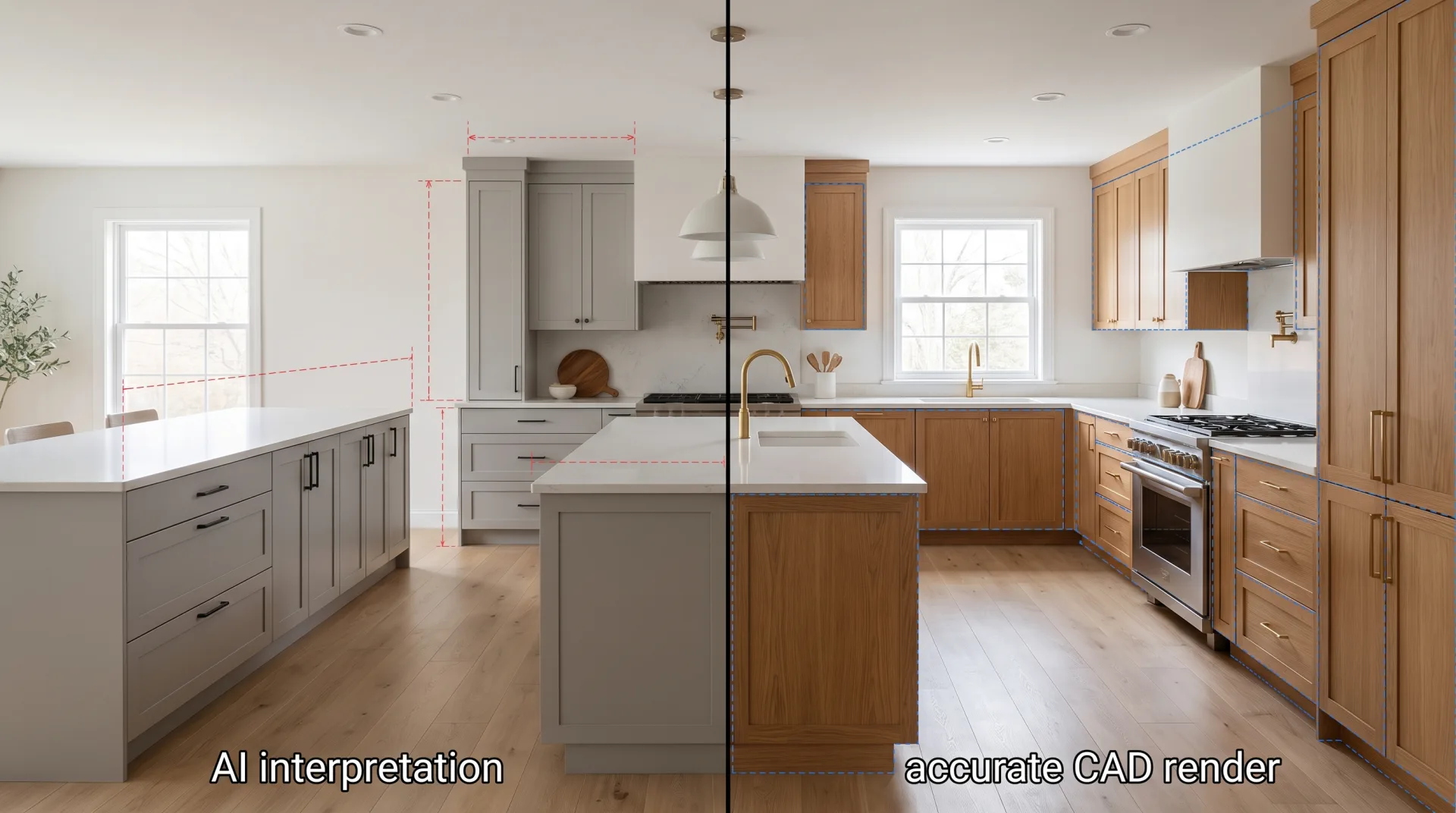
Where AI helps and where it falls short today is covered on our page about what AI rendering tools can and cannot do for architecture.
How much should a 3D rendering cost?
A professional 3D rendering costs about $350 to $900 per still image in the US, depending on the size of the scene, the detail of the model supplied and the number of revisions. In the prices studios publish, which we collected in September 2026, the median was $350 for an interior view (12 studios), $499 for an exterior view (12 studios) and $900 for an aerial view (7 studios). Our prices sit at those medians. Animation is priced by the second of finished film, and tours by the scene.
| Deliverable | Price from | Turnaround |
|---|---|---|
| Interior rendering | $349 per view | 3 to 5 business days |
| Exterior rendering | $499 per view | 3 to 5 business days |
| Aerial rendering | $899 per view | 3 to 5 business days |
| 3D floor plan, furnished | $179 per unit or floor | 3 to 5 business days |
| Product image, white background | $179 per image | 3 to 5 business days |
| Architectural animation | $40 per second of finished film | 2 to 3 weeks |
| Product animation | From $999 per 15-second video | 2 to 3 weeks |
| Rendered 360 panorama | $499 per room or scene | 3 to 5 business days |
| VR walkthrough | From $1,800 per scene | Quoted per project |
A worked example. A developer orders three interior views and two exterior views of one apartment building. At list price that is 3 x $349 plus 2 x $499, or $2,045. Five images in one order earn 10% off, so the order costs $1,840.50. Because it is over $1,000, $920.25 is paid to start and $920.25 before the final files are delivered. Two revision rounds are included on every image, and a further round is $50 per image. A first draft of all five views arrives in 3 to 5 business days, or in 48 hours for 35% more when capacity allows.
Every deliverable, with volume discounts and payment terms, is on the agency's 3D rendering price list.
To order a render, start from our 3D rendering services page, which lists what we render, how long each takes and what it costs. Send your drawings or model and we return a fixed quote within 12 hours.
Questions
Is 3D modeling hard to learn?
The basics of 3D modeling can be learned in a few weeks with a free program such as Blender or SketchUp, but building accurate models from construction drawings takes long practice. Our page on what 3D modeling is explains the skills involved.
How long does a 3D rendering take?
The computer may render a still in minutes or hours, but the whole job from files to first draft takes us 3 to 5 business days for stills, because modeling, materials and lighting take longer than the render itself. Our page on render time explains what makes a render slow or fast.