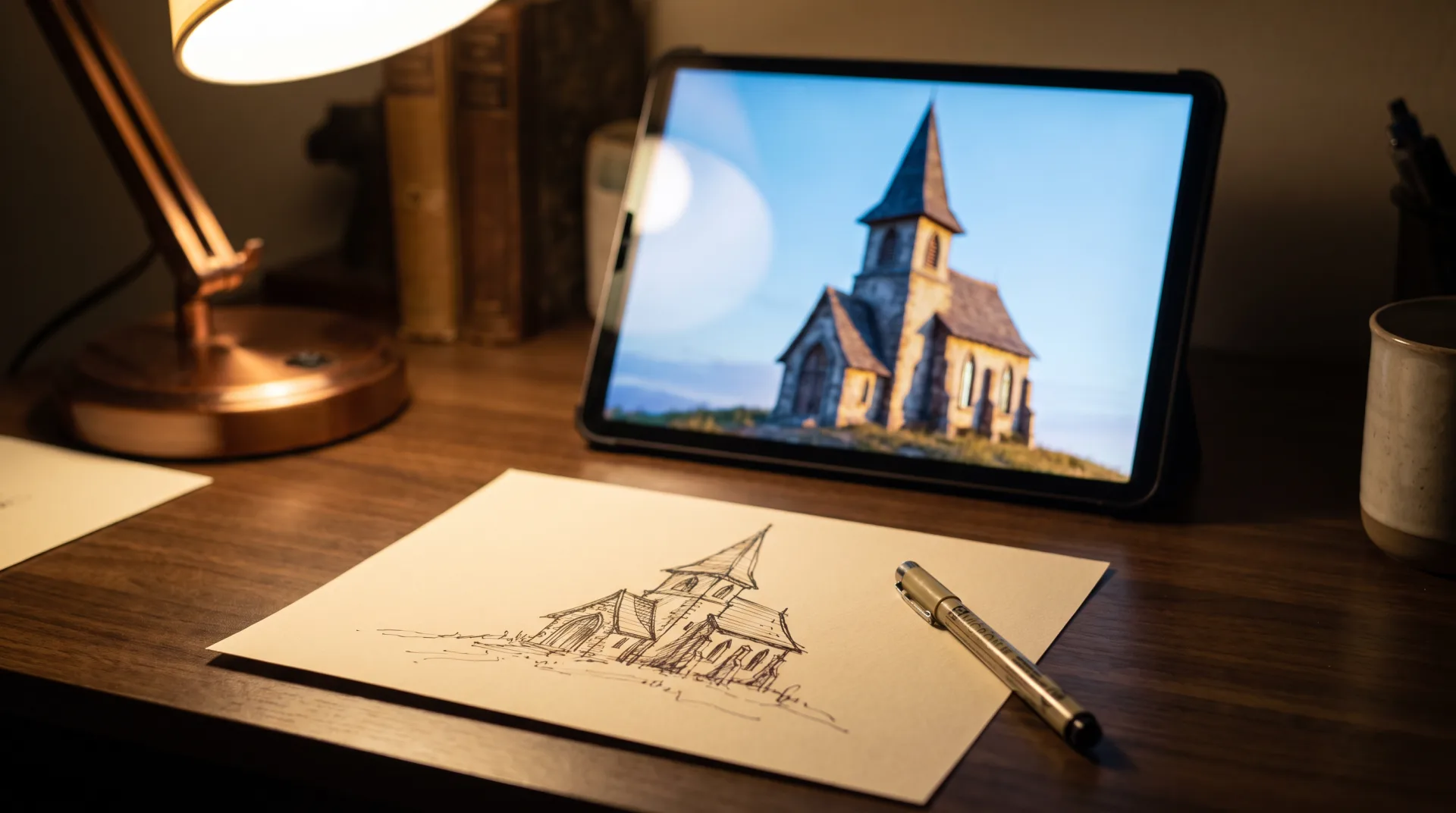
This page is part of our 3D software guides. It explains how render AI works, compares the main tools on what they take in and what they cost, separates AI rendering from neural rendering, and shows where the output drifts from the design. We are 3DRenderingAgency, a studio whose architects and interior designers build images from 3D models, so we test these tools against the thing clients pay us for: an image that matches the drawings. Prices below are as of 1 October 2026 and change often.
How does AI rendering work?
An AI render generator reads the outlines and depth of your input image and paints a new image over it from a prompt, using patterns learned from millions of photos. The tool does not know your building has four windows on the upper floor. It sees lines that look like windows and paints something window-like where they are, and the more freedom the settings give it, the more it changes.
A 3D renderer works the other way around. It starts from a model with real dimensions and materials and calculates where light lands, so the same window is in the same place in every view. The difference between generated images and real CGI is explained in full in our comparison.
What is the best AI rendering software?
Gendo and Rerender AI lead for design images, Veras for renders inside BIM, and mnml.ai for quick browser work; the table compares the AI rendering tools by input, control and price model. The best AI rendering software depends on where you start: a sketch, a screenshot of a model, or a model still open in Revit. Any AI rendering tool on this list will give you a convincing image in under a minute; they differ in how closely that image follows your geometry and whether your uploads stay private. The best AI for rendering a specific project is the one that holds its geometry, so test with your own model before paying.
| Tool | Input | Works inside | Geometry control | Price model |
|---|---|---|---|---|
| Gendo | Sketches, SketchUp exports, text prompts | Browser canvas | Medium: follows input lines, prompt edits change detail | Free plan with watermark and 1k export; Studio £79 a month, or £66 a month billed annually |
| Rerender AI | 3D model screenshots, sketches, photos | Browser; SketchUp plugin on paid plans | Medium to high: built to keep the design and materials of a model view | Free trial of 3 watermarked, non-commercial renders a day; $45 a month, or $450 for the first year |
| mnml.ai | Sketches, photos, exported model views as JPG, PNG or WebP | Browser only, no plugin | Medium | 100 free credits on signup; from $29 a month for 1,000 credits |
| Rendair | Text, sketches, floor plans, elevations, sections, model views, photos | Browser | Medium | 20 free credits; from $19 a month for 500 credits |
| Veras | The live model view, sketches, images, prompts | Plugin in Revit, SketchUp, Rhino, Archicad, Vectorworks and others; also a web app | High for massing: reads the model's geometry view | 14-day trial with 100 credits; from $16.90 a month billed annually |
| Gemini | Text prompts, uploaded photos or images | Browser and app | Low: restyles freely | Free with a Google account; paid plans from $4.99 a month raise limits |
| ChatGPT | Text prompts, uploaded images, sketches | Browser and app | Low: restyles freely | Limited free use; paid plans from $8 a month |
Veras, which runs inside the modeling program and reads the model view directly, is covered in full in our Veras guide. Prices and tier names on these sites change often; Rendair's FAQ, for example, names different tiers from its pricing page, so check the vendor's page before you buy.
What is Rerender AI?
Rerender AI is a browser tool that turns 3D model screenshots, sketches and photos into photoreal renders, and it describes its aim on its own site as keeping "your design and materials" the same. Paid plans add unlimited renders, commercial use, a private rendering mode and SketchUp plugin support. Its FAQ states that drawings, prompts and renders are not used to train its models, and that free-plan renders may be public.
What is Gendo?
Gendo is a browser design canvas for AI rendering aimed at architecture and design teams, where users generate renders from sketches, edit them with prompts and review them together on one shared canvas. The Gendo AI render workflow suits early design rounds with several people commenting. Its pricing page lists a free plan with unlimited generations, a watermark and 1k export, and paid plans that it says are never used to train AI models.
Can Gemini or ChatGPT render an image of a design?
Gemini and ChatGPT can restyle an uploaded image or generate one from a prompt, with less control over geometry than dedicated tools. A Gemini AI render works well for "show this facade at dusk" and poorly for "keep every mullion where it is". Both are cheap or free to try. Check their data settings: Google states in its Gemini privacy help that kept activity is used to improve its services, including its models, unless you turn it off, and OpenAI states in its data policy that it may train on content from individual ChatGPT accounts unless you opt out, while business plans are not trained on by default.
How does sketch-to-render AI work?
Sketch-to-render AI keeps the sketch's lines as a guide and fills in materials, light and context from the prompt. A firm, closed line drawing gives the tool more to hold on to than a loose one. Shading, a horizon line and a figure for scale all help it guess depth and size correctly.
Can AI do 3D rendering from a model?
AI can restyle a screenshot of a 3D model, and some tools sync with SketchUp, Revit or Rhino, but the AI still works on a 2D image rather than rendering the 3D scene. That is what AI 3D rendering means in practice today: the model supplies a view, and the AI paints over the view. It is a fast way to see a massing model with materials on it. It is not a 3D rendering AI that can light the model correctly from a second camera, because the second view is generated fresh and need not agree with the first.
Turning a 2D plan into an accurate 3D image is a modeled job for the same reason: someone has to decide the wall heights, the openings and the finishes, and the image follows from those decisions. That is our floor plan to 3D service.
How is AI used for architecture?
Architects use AI mainly for early concept images and style options; the full comparison for architects is a separate guide. Typical uses are trying five facade materials on a massing model in an afternoon, turning a hand sketch into a mood image for a first client meeting, and adding context to a site photo. Architects comparing tools should read our guide to the best AI for architectural rendering, which tests them on one building. Interior designers have their own guide to AI interior rendering, where furniture and finishes, not facades, are what drift.
Is AI rendering free?
Most tools give a few free credits or a limited free plan and then charge monthly or per credit, so free use suits testing rather than project work. AI rendering free tiers usually add a watermark, cap the resolution or make your images public, which rules them out for client work under an NDA.
| Tool | Free use | Limits on the free use | Lowest paid price |
|---|---|---|---|
| Gendo | Free plan, unlimited generations | Watermark, 1k export, one project canvas | £66 a month billed annually |
| Rerender AI | Free trial, 3 renders a day | Watermarked, non-commercial, public gallery | $38 a month on the annual plan |
| mnml.ai | 100 credits on signup | Credits run out | $29 a month |
| Rendair | 20 credits | A paid plan is required after that | $19 a month |
| Veras | 14-day trial with 100 credits | Trial ends | $16.90 a month billed annually |
| Gemini | Free with a Google account | Lower usage limits | $4.99 a month |
| ChatGPT | Limited image creation | Lower limits | $8 a month |
If you want free software that renders a real model rather than painting over a screenshot, see our free rendering software guide; Blender with Cycles is the best-known option.
How much does it cost to use an AI render tool?
Paid plans are monthly subscriptions or credit packs, from $4.99 to $45 a month at the entry levels listed above (Gendo's is £66), with team plans such as Rendair Studio Pro at $190 a month and Gendo Studio Scale at £299 a month. Credits matter more than the headline price: a plan with 500 credits a month may give only a few dozen high-resolution images once upscaling and video are counted.
Is it worth paying for AI rendering?
It is worth paying for when you need many quick concept variations; it is not a substitute for images that must match drawings. A practice that shows clients three material options every week will recover a $30 subscription in the first hour saved. A developer who needs a brochure that matches the sales plans will not, because every image must then be checked and corrected against the drawings.
What is neural rendering?
Neural rendering is a different field: it uses neural networks inside the rendering process itself, as in NeRFs, Gaussian splatting and AI upscaling such as DLSS, rather than painting over an image. A neural radiance field, or NeRF, reconstructs a 3D scene from 2D photos and was introduced in a 2020 paper. NVIDIA describes DLSS as a suite of neural rendering technologies that use AI to raise frame rates and image quality in games. So what is neural rendering in one line? It is AI that helps compute or reconstruct a real 3D scene, where AI rendering in the sense of this page generates a new 2D picture.
One branch of neural rendering, Gaussian splatting, rebuilds a real place from photos as millions of soft points that can be viewed in real time; it has its own explainer. These methods matter for capturing existing sites. They do not yet design anything.
Where does AI rendering go wrong?
AI renders drift from the input: window counts, proportions and materials change between images, details are invented, and specified products cannot be matched. Run the same prompt four times on the same facade and you get four buildings. That is fine for a mood board and a problem for anything a buyer, a planner or a contractor will rely on.
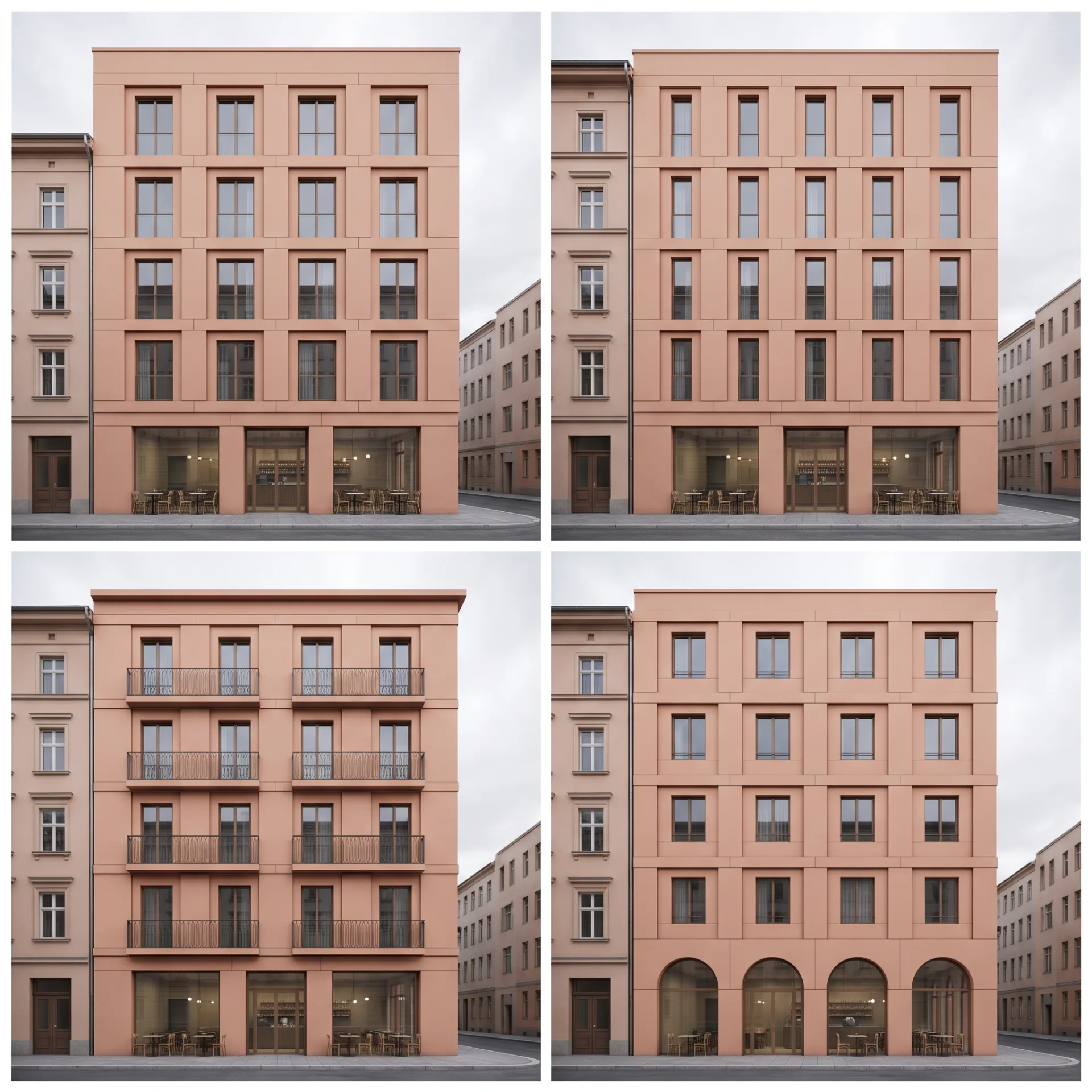
- Geometry drifts. Window counts, floor heights and roof pitches change, most of all with high creativity settings.
- Views disagree. A second camera angle is a new image, so the kitchen island can change length between the two.
- Specified products vanish. The tile, faucet or light fitting in the specification becomes a plausible lookalike.
- Scale slips. Doors, steps and people are sized by guess, so a room can read as larger than it is.
- Text and repetition fail. Signage, railings and brick coursing come out irregular.
Showing a remodel on a real photo of a real room raises the same problem: the AI may move the window it was meant to keep. When the existing room has to stay true, a designer does the work in our 3D renovation service.
Will AI replace 3D artists?
AI is taking over quick concept images, while accurate, consistent images for marketing and approvals still depend on artists who model, and studios are adding AI to their own pipelines. We use AI to brainstorm ideas and early sketches; every final image we deliver is built from a 3D model. Will AI replace 3D artists who only produce loose mood images? Partly, already. Artists who build accurate models, light them well and deliver a consistent set of views are doing work the generators cannot check. Inside rendering software, AI already does real work: denoisers clean grain from renders so they finish sooner, and upscalers enlarge finished images.
When should you pay for a modeled render instead?
Pay for a modeled render when the image has to match drawings, stay consistent across a set, or be used to sell, because AI cannot guarantee any of those. The table puts common jobs on one side or the other.
| Job | Better choice | Why |
|---|---|---|
| Early massing and material options | AI image | Speed and variety matter more than accuracy |
| Mood image for a first client meeting | AI image | Nobody will measure it |
| Planning or design review submission | Modeled render | The board compares the image with the drawings |
| Pre-sales brochure or listing | Modeled render | Buyers rely on what they see; every view must agree |
| A set of views of one project | Modeled render | Only a model keeps details identical between cameras |
| Product catalog or marketplace image | Modeled render | The product must be the real product, in every color |
| Animation or virtual tour | Modeled render | Frames and panoramas must stay consistent as the camera moves |
Conventional programs that render a real model are compared in our architectural rendering software guide. If you would rather hand the job over, images that must match the drawings come from our architectural rendering service, with the first draft in 3 to 5 business days and two rounds of revisions included. How we support practices through design stages is set out on our page on 3D visualization for architects.