Service
3D Architectural Animation Services
3D architectural animation is a rendered film of a building or interior that does not exist yet, with the camera moving through or around it, and we produce walkthroughs, flythroughs and construction sequences for developers, architects and builders so buyers, review panels and lenders can experience a project before it is built. The first draft arrives in 2 to 3 weeks, and the camera path is approved as a clay preview before anything is rendered; animation is part of our 3D rendering service.
Final film
Date fixed in the quote
Quote
Fixed, within 12 hours
Date fixed in the quote
Final film
Fixed, within 12 hours
Quote
2 to 3 weeks
First draft
Two rounds included
Revisions
01
What do you get with our 3D architectural animation service?
An animation order delivers a finished film of your project, with a camera path you approve in advance, people and cars moving through the scene, music, titles and an end card, delivered as an MP4 in 1080p or 4K. Our architectural 3D animation is built from the same kind of model as a still: we model the building from your drawings or model at the level the brief describes, give it your materials and landscape, light it for the time of day you choose and then render every frame. The quote is fixed once we have seen your files.
| Type | What the camera does | Typical length | Use |
|---|---|---|---|
| Walkthrough | Moves at eye level through the rooms, like a visitor | 30 to 90 seconds | Home sales, model units, amenity spaces |
| Flythrough | Moves through the air around and over the building and site | 30 to 90 seconds | Launches, masterplans, towers, investor decks |
| Construction sequence | Holds on the site while the building is assembled stage by stage | 20 to 60 seconds | Contractor bids, method statements, progress updates |
| Phasing film | Shows which buildings arrive in which phase of a larger scheme | 20 to 45 seconds | Planning hearings, investor updates, community meetings |
| Product film | Turns and opens a single product on a set | 15 seconds | Ecommerce and launches, sold as 3D product animation |
02
Architectural animation examples
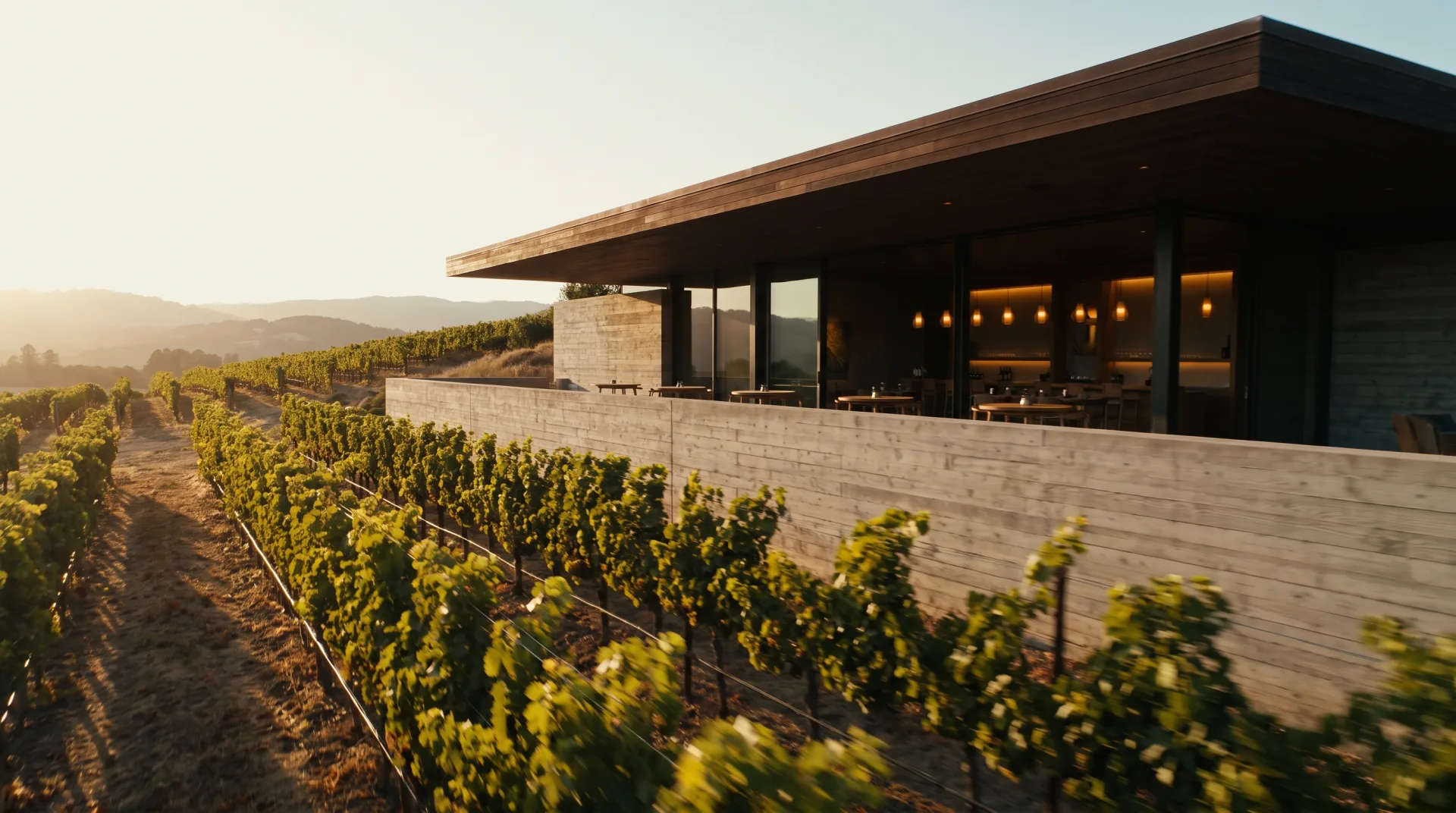
The three excerpts below show a house walkthrough, a mixed-use flythrough and a hospital phasing sequence, each 15 to 30 seconds long. They are concept work our team made to show what each type of film looks like. The first is a 3D architectural walkthrough at eye height, the speed a buyer would walk; the second flies over a waterfront block at the height of a low drone; the third holds one camera while a new wing rises beside a working building.
Why teams send us their drawings
Drawn by architects
Plans, sections and finish schedules are read the way they were drawn, so the first draft is close.
Priced before we start
A fixed quote within 12 hours of receiving your files. The quote you accept is the one you pay.
A clay draft first
Camera angles and massing are agreed on a plain model before materials go on, so the final has no surprises.
Yours to use anywhere
Full commercial rights and 4K JPG and PNG files for print, web and listings.
03
Walkthrough vs flythrough animation
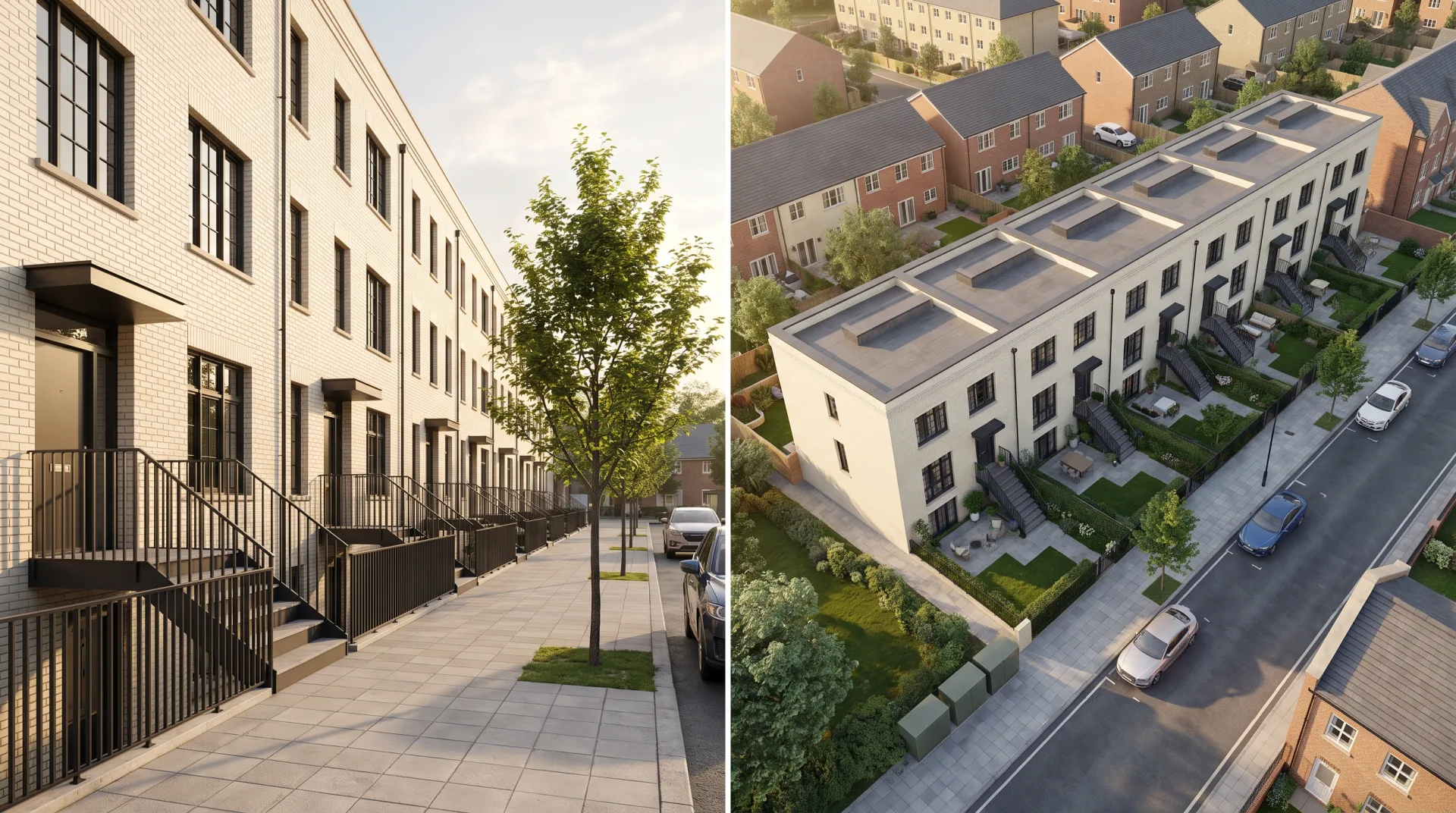
A walkthrough moves at eye level through the building, like a visitor, and a flythrough moves through the air around and over the site. The choice follows what the viewer needs to understand: the sequence of rooms, or the place the building sits in. Many films combine the two, opening on a flythrough of the site and cutting to a walkthrough of the lobby or a model unit.
| Film | Camera height | Shows best | Suits |
|---|---|---|---|
| Walkthrough | About 1.5 to 1.7 m, eye level | Room sequence, ceiling heights, finishes, views out of the windows | Houses, apartments, hotels, offices |
| Flythrough | From rooftop height to a high aerial | Massing, site, access, landscape and the neighbors | Masterplans, towers, campuses, resorts |
A film fixes the path for the viewer. If buyers should choose their own route and look around freely, 3D virtual tours built from rendered 360 panoramas do that instead.
3D walkthrough animation
Walkthroughs suit homes and interiors, where buyers want to feel how one room leads to the next. A 3D house walkthrough usually starts at the front door, passes through the hall into the main living space, pauses at the kitchen island and ends on the view from the primary bedroom or the garden. We keep the camera slow and level, with gentle turns, because a fast or tilting camera reads as a video game rather than a home.
Flythrough
Flythroughs suit masterplans and towers, where context and views matter more than any single room. The camera can start wide on the neighborhood, close in on the entrance and rise past the upper floors to show the view from the top. If you also need stills from the same high camera, our aerial rendering service gives them at full 4K resolution for boards and decks.
04
Construction animation
A construction animation shows a building assembled in stages, and contractors use it to explain sequencing while developers use it to show progress. The camera usually holds still on the site while foundations, frame, floors, envelope and landscape appear in order, so a client, a lender or a neighbor sees what happens when without reading a program chart. We build the stages from your construction sequence or phasing plan; each stage is a version of the same model, so the film is accurate to the drawings at every step.
What clients said about our interior designer's work
I sent over our floor plans and a few reference photos, and they took it from there. What stood out was how little back-and-forth we needed. They understood the brief and got most things right on the first attempt. The final images were exactly what our marketing team needed.
Robert Hayes · United States
We were struggling to agree on finishes for a client's kitchen renovation. Having the different options rendered made the decision so much easier. It saved us from making what could have been a very expensive mistake. Money well spent.
Emily Carter · United Kingdom
Honestly, the first draft wasn't quite what I had pictured. I sent through my comments, and the revised version was spot on. I appreciated that they actually listened rather than rushing through the changes. Happy with how everything turned out.
Daniel Cooper · Australia
05
Who orders 3D architectural animation?
Developers order animations for launches and sales suites, architects for competitions and approvals, and contractors for construction sequencing. For residential sales, a 3D walkthrough for real estate lets a buyer walk a home before the slab is poured, and a short cut of the same film runs in listing ads and on social media. Architects use flythroughs at planning hearings and design competitions, where a film shows the approach, the street and the public space in one minute. Home builders order one walkthrough per plan type and reuse it across every lot that builds that plan.
06
What does a 3D architectural animation do for your project?
A 3D architectural animation lets buyers, investors and review panels move through a building before it exists, so they understand the sequence of spaces and the site in a way a set of stills cannot show. The film carries the viewer from the street to the front door and up to the view, at the pace a visitor would walk.
- Buyers walk a model unit before the slab is poured, so homes and apartments can be marketed and pre-sold off-plan, and a short cut of the same film runs in listing ads.
- Planning hearings and design competitions see the approach, the street and the public space in context, so the discussion goes on the design rather than on misread drawings.
- Moving through the lobby or up to the top floor shows layout and finish questions while they are still a drawing change, before money is spent on site.
- A construction sequence shows lenders, neighbors and site teams what happens when, without a program chart.
- One model gives the film, the stills and the social cuts, all with full commercial rights, so the brochure and the film show the same building.
| Length | Typical film | Where it works |
|---|---|---|
| 15 seconds | Social cut or teaser | Listing ads, social feeds, launch announcements |
| 30 seconds | Short walkthrough or construction sequence | Websites, bid presentations, progress updates |
| 60 seconds | House walkthrough or building flythrough | Sales suites, planning hearings, investor meetings |
| 90 seconds | Flythrough plus lobby and amenity walkthrough | Launch events and sales suite screens |
| 2 minutes | Launch film for a multi-building scheme | Masterplan launches and community meetings |
Every service and its rate is on our 3D rendering prices page.
07
How long does 3D architectural animation take?
A 60-second architectural animation reaches its first draft in 2 to 3 weeks from complete files, and the delivery date of the final film is written into the quote. Most of that time goes on modeling, the approval stages and rendering: a 60-second film at 30 frames per second is 1,800 frames, and each frame is a full rendered image. Our page on render time explains why one frame of a photoreal scene takes minutes rather than milliseconds, and studios spread long films across many machines on render farms to finish them on schedule.
| Stage | Time |
|---|---|
| Fixed quote | Within 12 hours of receiving files |
| Clay preview, style frames and rendered draft | First draft in 2 to 3 weeks |
| Final film | On the date fixed in the quote |
08
What do you need to send us?
Send the drawings or model, the finish and landscape specification, a script or shot list, your music preference and your brand assets.
- 01Send the drawings or 3D model: Revit, SketchUp, Rhino, 3ds Max, Archicad or IFC, or plans, elevations and sections as PDF or DWG.
- 02Add the finish and landscape specification, with product names where you have them.
- 03Write a shot list or the story the film should tell: where it starts, what it must show and where it ends.
- 04State the music and voiceover preference: a mood, a reference track, or a licensed track you supply.
- 05Attach the logo, title wording and end card details: website, phone line or sales suite address.
09
How do revisions work?
Revisions are made on a clay preview of the camera path first, then on still style frames, then on the rendered film, with two rounds included. Each stage fixes one decision before the slower one that follows it: a camera move changed on the clay preview costs minutes, while the same change after rendering means rendering those seconds again.
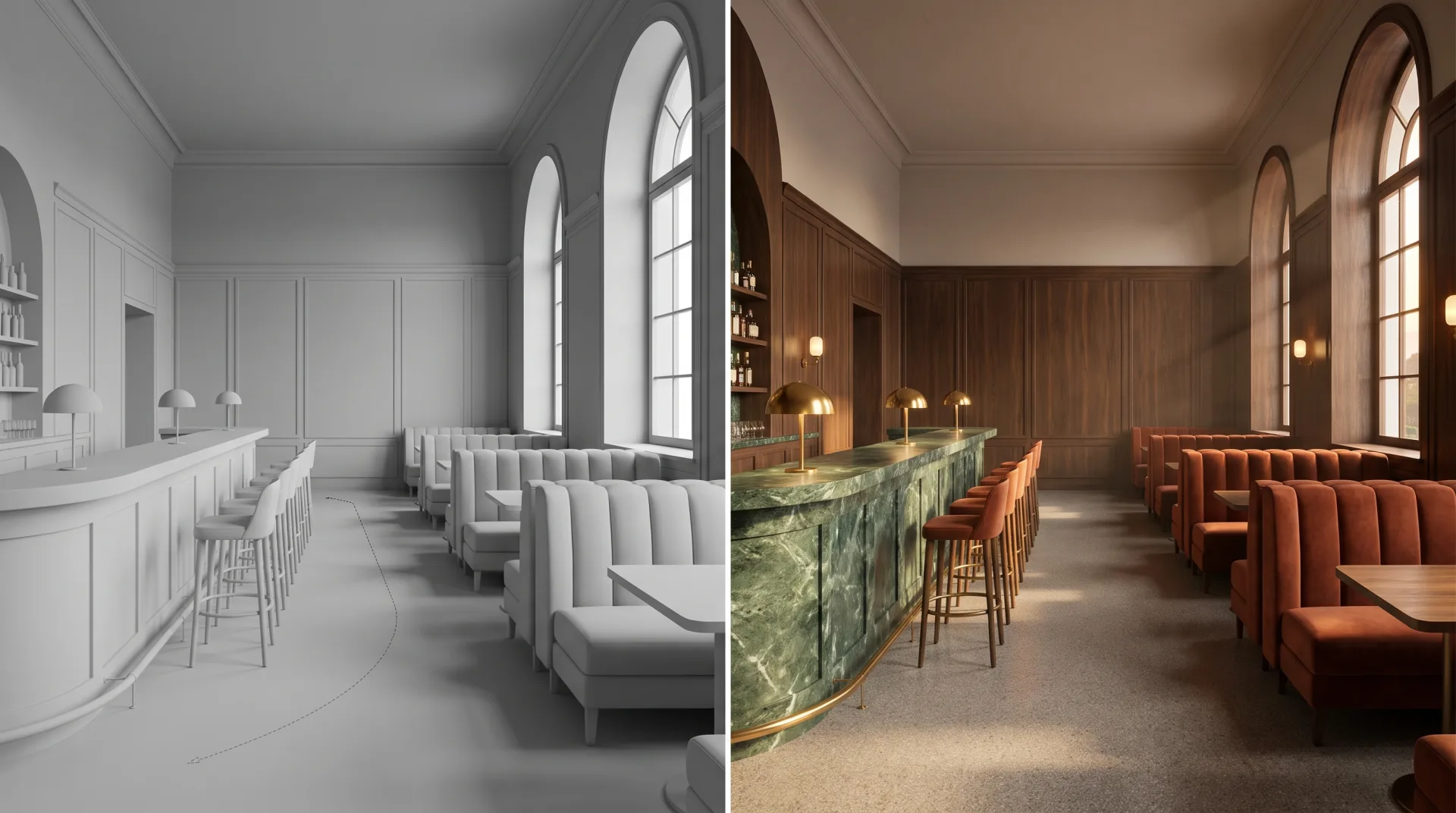
- 01Approve the clay preview: a gray, quickly rendered version of the whole film that fixes the camera path, timing and cuts.
- 02Approve the style frames: a few full-quality stills from the film that fix materials, light and season.
- 03Comment on the rendered draft: the edit, music, titles, people and traffic.
- 04Receive the final film in the formats you asked for.
The image above shows why the clay stage matters: the camera, framing and timing of the final frame were all decided on the gray preview beside it.
10
What file formats do you deliver?
Animations are delivered as MP4 files in 1080p or 4K, in the 16:9 frame of a screen or a sales suite display. If you also need a vertical or square cut for social media, list it in the brief and the quote covers it; the cut is reframed for that aspect ratio rather than cropped from the wide film, so the building stays in frame.
| Format | Resolution | Use |
|---|---|---|
| MP4, 1080p | 1920 x 1080 | Websites, email, listing portals, presentations |
| MP4, 4K | 3840 x 2160 | Sales suite screens, events, large displays |
| Vertical or square cut | Listed in the quote | Social media feeds and stories |
You get full commercial use of the film, with no time or place limit.
11
What software is used for architectural animation?
Architectural animations are rendered either frame by frame in offline renderers such as V-Ray and Corona, or in real time in engines such as Unreal Engine, Twinmotion and Lumion, and the choice is made per project. Offline rendering gives the most accurate light and materials and suits films that must look like photography; our production films are rendered in 3ds Max with Corona and V-Ray, or in Blender with Cycles. Real-time engines such as Unreal Engine and Twinmotion render each frame almost instantly, which architects use for quick design films and interactive presentations. You do not need any of these programs to order a film from us.
Questions
Can you add a voiceover?
Yes. Send the script and either a recorded voiceover or the voice you want, and the film is cut to its timing; the voiceover is listed in the fixed quote.
Can you cut a 15-second version for social media?
Yes. List it in the brief and the quote covers it. A 15-second cut is reframed for vertical or square screens rather than cropped, so the building stays in the frame.
Can the animation and the still images come from the same model?
Yes. Stills and film are rendered from one model, so a brochure image and the film show the same building, materials and light.
Get a quote for 3D architectural animation
Send the brief and files through the form and we reply with a fixed quote within 12 hours. We are a 3D rendering services company whose team includes architects and interior designers. We work remotely for clients in the US and worldwide, and if work has not started the full payment comes back on request.