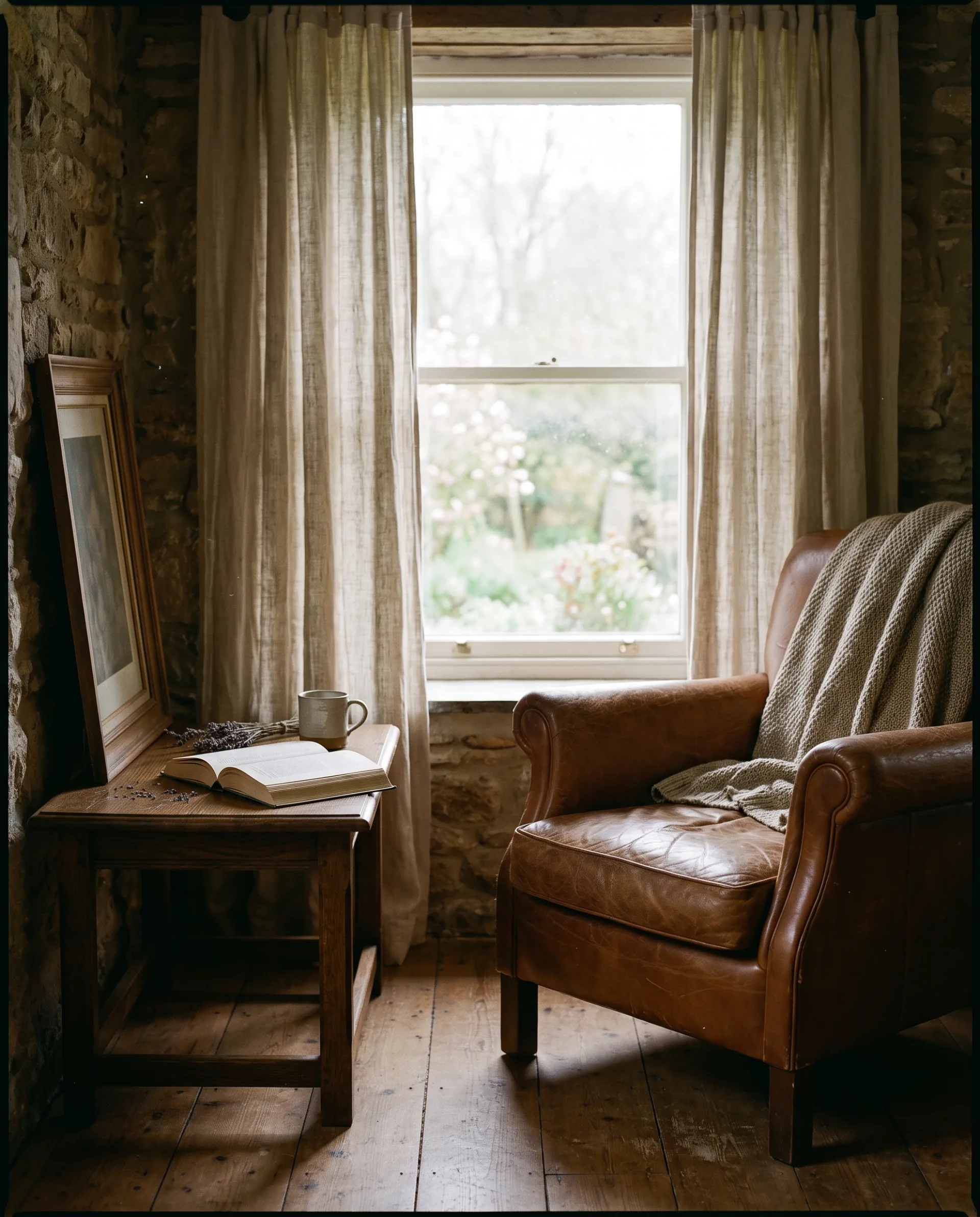
Photorealism is the goal of most professional computer rendering for architecture, interiors and products, because the image has to stand in for a photograph of something not yet built. This page gives the seven-point checklist we work to, shows why some renders look fake, and covers the software, the time and what a photoreal image does for your project.
What does photorealistic mean in rendering?
In rendering, photorealistic means a viewer cannot tell the image from a photograph of the real thing. So what is photorealistic, as a test? Show the image to someone who does not know it was rendered and ask where it was taken. If they answer the question rather than asking whether it is real, the image is photoreal. A photo realistic render, a photo-realistic rendering and photorealistic CGI all describe the same result, spelled three ways. Photo rendering is sometimes used for the same idea, though it also has a separate meaning in photo editing; here it means a rendered image built to pass as a photo.
Photoreal does not mean perfect. Real photographs have slightly blown highlights, a bit of lens falloff, dust on a sill and a crease in a cushion. A render that is cleaner than any photograph is the most common reason a viewer senses that something is off without being able to say what.
How do you make a render look realistic?
A render looks realistic when it gets seven things right: physically based light, accurate materials, real-world scale, imperfection, believable camera settings, considered composition and restrained post-production. Every realistic render delivered by 3DRenderingAgency is checked against this list, and realistic rendering fails when any one item is skipped, however good the others are.
- Physically based light. Use a real sun and sky or an HDRI, real fixture brightness and full bounced light; see our guide to lighting and rendering for the types of light and how they combine.
- Accurate materials. Build every surface as one of the PBR materials with measured color and believable roughness, matched to the specified product where there is one.
- Real-world scale. Model to the drawings' dimensions, and check the things everyone knows the size of: doors, chairs, worktops and steps.
- Imperfection. Add slight bevels to every edge, variation to every repeated material, and small signs of use: a throw left on a sofa, a slightly uneven curtain, a few leaves on a terrace.
- Believable camera settings. Place the camera where a photographer would stand, at about eye height, with a lens a photographer would use, vertical lines kept vertical and exposure set for the scene.
- Considered composition. Frame the view as a photograph: a clear subject, a foreground layer and a reason for the eye to move through the image.
- Restrained post-production. Grade color and contrast gently, and stop before the image looks more dramatic than a real photo could.
Why do some renders look fake?
Renders look fake when edges are perfectly sharp, surfaces are spotless, light is flat or too bright, and scale or camera height is wrong. Each of these is a small error on its own, and together they produce the clean, weightless look viewers call CGI.
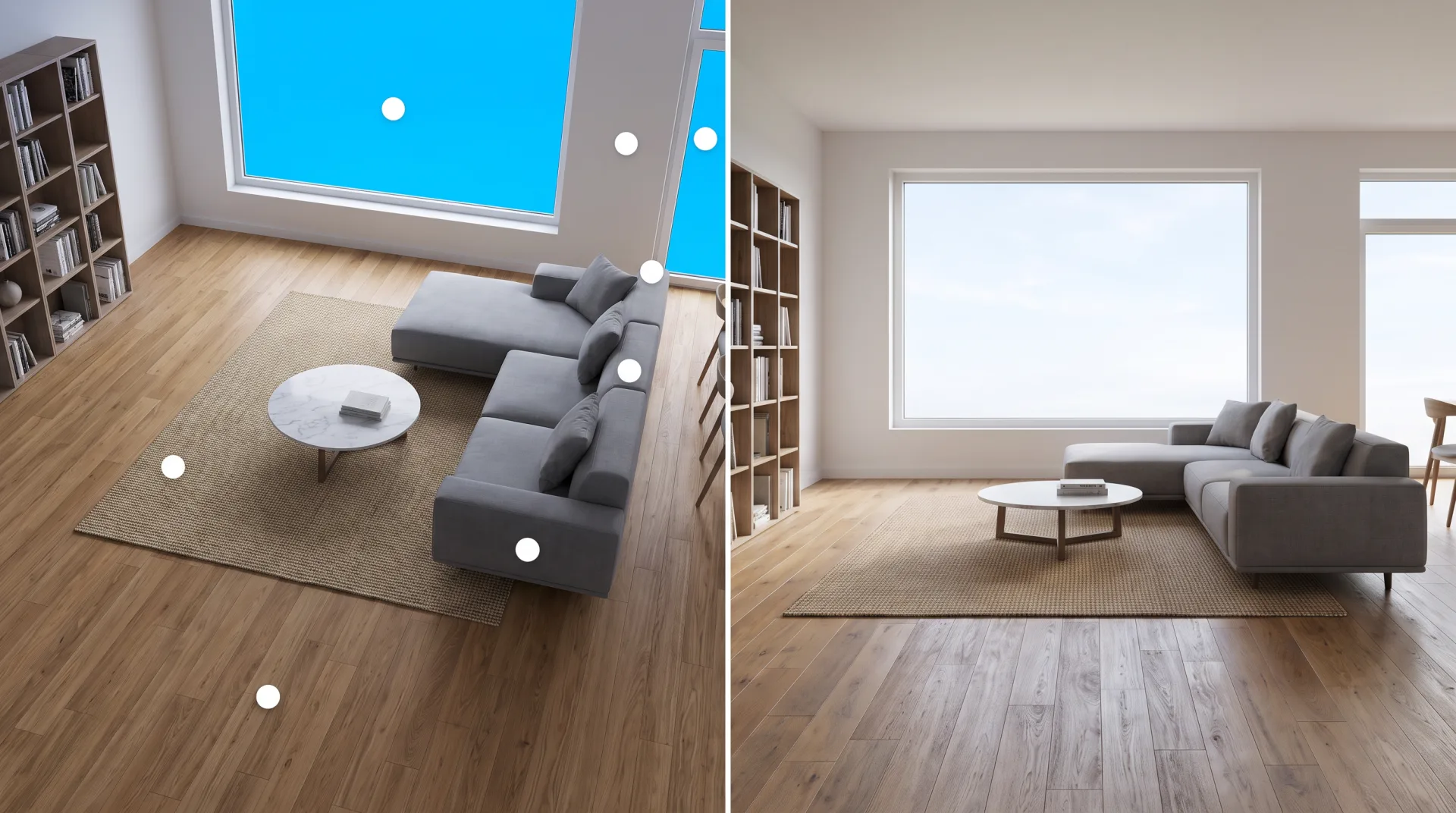
| Fault | What the viewer sees | Fix |
|---|---|---|
| Razor-sharp edges | Furniture and joinery look like they were cut from paper | A small bevel on every edge so it catches a line of light |
| Uniform materials | A floor or wall that repeats or has no variation in tone | Variation maps, wear and several texture variants |
| No contact shadows | Furniture appears to float above the floor | Full bounced light and fine shadows where objects meet the floor |
| Camera too high | The room is seen from above, as if by someone standing on a chair | Camera at about eye height, 5 to 5.5 feet, unless the view needs otherwise |
| Oversaturated sky | A blue that no camera records, out of balance with the light in the room | A real sky with exposure matched to the interior |
The fastest way to train your eye is to compare a render with photographs of similar rooms and with 3D rendering examples sorted by type. The faults above become obvious once you start looking for them.
What are the three types of rendering?
Rendering is commonly grouped into photorealistic, non-photorealistic (stylized) and real-time rendering. Photorealistic rendering aims to pass as a photo and usually takes minutes to hours per image. The opposite approach, non-photorealistic rendering, deliberately looks drawn, painted or diagrammatic, for concept stages and competitions. Real-time rendering draws images fast enough to move through, for walkthroughs and VR. The groups overlap: a real-time engine can come close to photoreal, and a photoreal render can be made in a real-time engine if it is given enough time.
What is the best software for photorealistic rendering?
Photorealistic architectural stills are usually produced in offline renderers such as V-Ray and Corona, with Unreal Engine, D5 Render and Twinmotion close behind for real-time work. A photorealistic 3D render depends more on the artist than the program, but the program sets how accurately light is computed. For 3D photorealistic rendering on client work we use Corona and V-Ray in 3ds Max, with Blender's Cycles for some scenes, because they trace light through many bounces. Photorealistic 3D renderings from real-time engines are faster to produce and easier to revise, and suit walkthroughs and quick design reviews.
| Tool | Type (offline or real-time) | Strength | Typical use |
|---|---|---|---|
| V-Ray | Offline | Accurate ray-traced light and fine control over every setting | Marketing stills and animation |
| Corona | Offline | Natural light with few settings to tune | Interior and exterior stills in 3ds Max |
| Cycles (Blender) | Offline | Free path tracer built into Blender | Stills and product shots |
| Unreal Engine | Real-time | Game-engine speed with high-end lighting | Interactive tours, VR, configurators |
| D5 Render | Real-time | Fast ray-traced previews and animation | Quick stills and walkthroughs |
| Twinmotion | Real-time | Easy to learn; quick results from imported design models | Design reviews and quick animations |
Is there free software for photorealistic rendering?
Yes. Blender, with its Cycles path tracer, is free and open source, and the Blender Foundation states it may be used for any purpose, including commercially. Twinmotion is free for users with gross annual revenue under $1 million a year, according to CG Channel, with paid seats at $445 a year above that; our page on Twinmotion covers its license terms. The software is free; the skill to get a photoreal result from it takes much longer.
How long does a photorealistic rendering take?
A photorealistic still takes minutes to a few hours of computer time to render, and a commissioned image takes us 3 to 5 business days to the first draft, including modeling and lighting. The render itself is the short part. Modeling to the drawings, building materials, setting the light and composing the camera take most of the time, and two revision rounds follow the first draft. Our page on how long rendering takes explains what makes the computer part slow or fast.
What does a photorealistic 3D rendering do for your project?
A photorealistic 3D rendering lets buyers, investors and review panels see a space as it will be built, so finishes, layout and massing are decided before money is spent on site. Because the people modeling your project have designed buildings and interiors themselves, they read your drawings and finish schedules correctly the first time, and the first draft arrives in 3 to 5 business days with fewer correction rounds, and two revision rounds are included. The quote is fixed within 12 hours of seeing your files, and every service and its price is on our 3D rendering rates page.
A worked example. An interior designer orders four photoreal views of one apartment. The client signs off the kitchen finishes from the images before ordering, the developer markets the units off-plan, and the final files arrive as 4K JPG and PNG with full commercial rights for print, web and listings. You can judge the standard in our 3D visualization portfolio, and order photoreal views through our 3D architectural rendering services.