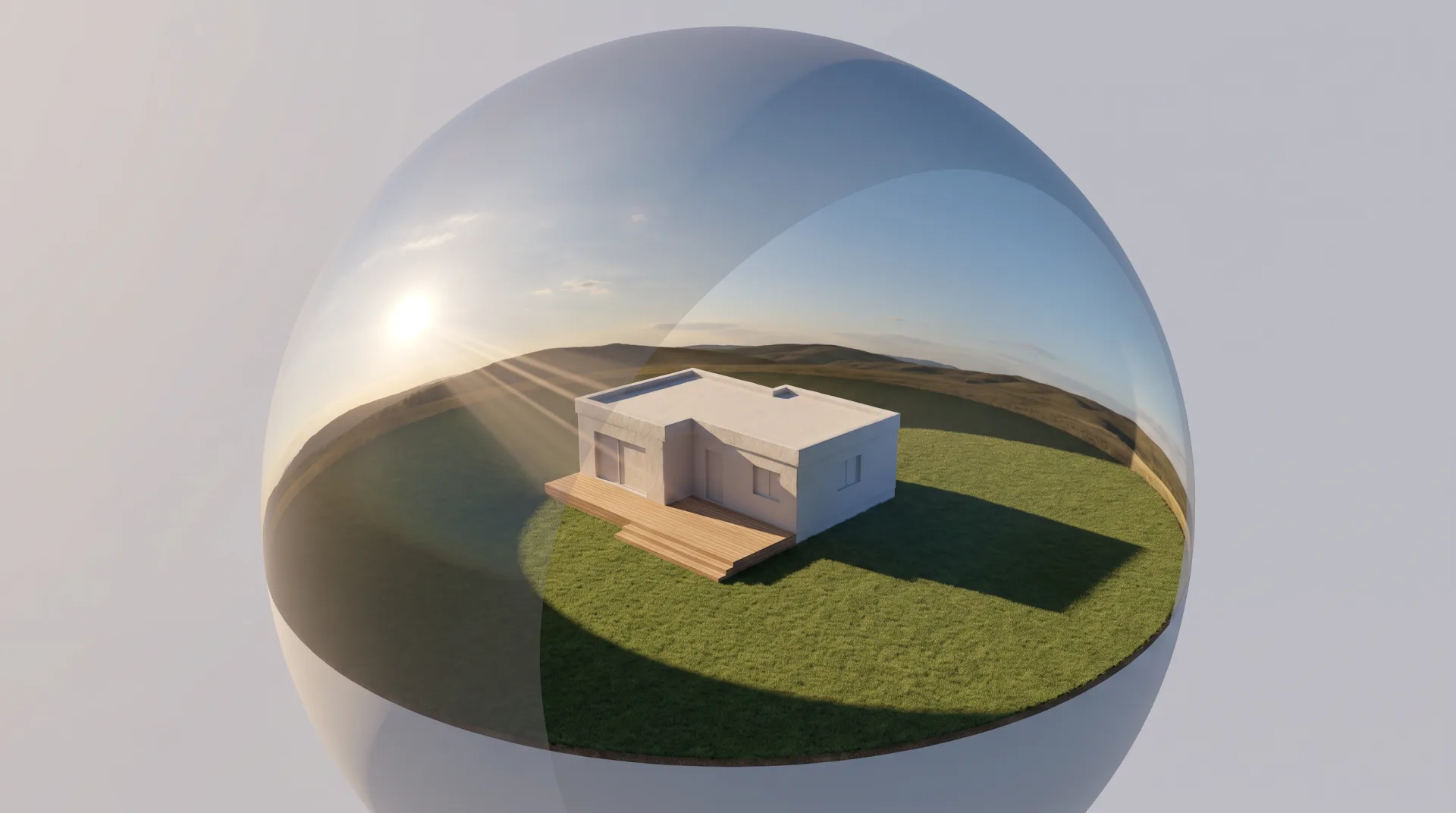
What is an HDRI in plain terms? It is a photograph of all the light arriving at one point, kept at full strength. This page explains how that photograph lights a render, how it differs from HDR, how one is made, where free ones come from and how we match a client's real site with one. HDRI is one of several light sources covered in our guide to 3D lighting and rendering.
What is HDRI, and what does HDRI mean?
HDRI stands for high dynamic range image: a photo, usually a 360-degree panorama, that keeps light values far brighter than white so a renderer can use it as a light source. That is the working HDRI definition in 3D. The HDRI meaning turns on the word range: an ordinary JPEG stores brightness on a scale that stops at pure white, so the sun and a white cloud end up the same value. An HDRI stores each pixel as a floating-point number, so the sun can be thousands of times brighter than the sky beside it, as it is in reality. That difference is what lets the file cast shadows of the right strength.
What is an HDRI map and how is it wrapped around a scene?
An HDRI map is the equirectangular (2:1) panorama that the renderer maps onto an infinite sphere around the model, so every direction in the scene receives the light photographed from that direction. The left edge of the image meets the right edge behind the camera, the top row becomes the point straight overhead and the bottom row the point straight below. Because the sphere is treated as infinitely far away, the model never touches it; it only receives its light and shows it in reflections.
How does HDRI lighting work in a render?
HDRI lighting works by sampling the brightness and color of every pixel of the panorama as incoming light, so the bright sun pixels cast hard shadows and the sky pixels fill the shadows with soft blue light. In HDRI rendering the engine sends rays out from each surface; a ray that escapes the model reads the HDRI pixel in that direction and brings its light back. Light that hits another surface first keeps going as a light bounce, which is what fills a shaded courtyard or a room behind a window with soft sky light rather than leaving it black.
The loop shows the practical consequence. Rotating the HDRI turns the whole sky, so the sun swings around the house, the shadows sweep across the lawn and the reflections in the windows change. That rotation is how an artist sets the sun direction for a real site: there is no separate sun to move.
What is the difference between HDR and HDRI?
HDR is the general term for any image or display with a wide brightness range, while an HDRI is a specific file (usually .hdr or .exr) merged from bracketed exposures to light 3D scenes. HDR rendering, in turn, means a renderer calculating and storing light at full range internally, which is what lets it read an HDRI properly. HDRI images are therefore a set of HDR photographs merged into one panorama, saved in a format that keeps the full range. The .exr format, also used for render passes, is explained on our page about the EXR file.
| Term | What it is | File types | Used for |
|---|---|---|---|
| HDR display | A screen that shows brighter highlights and deeper shadows than a standard screen | Not a file; a display standard | Watching HDR video and photos |
| HDR photo | A photograph merged from several exposures, then usually compressed back into a normal range to look good on screen | JPEG, HEIC or AVIF after editing | Phone and real estate photos with detail in sky and shadow |
| HDRI | A 360-degree panorama that keeps the full, uncompressed range of light values | .hdr or .exr, 32 bits per channel | Lighting and reflections in 3D renders |
How do you create an HDRI?
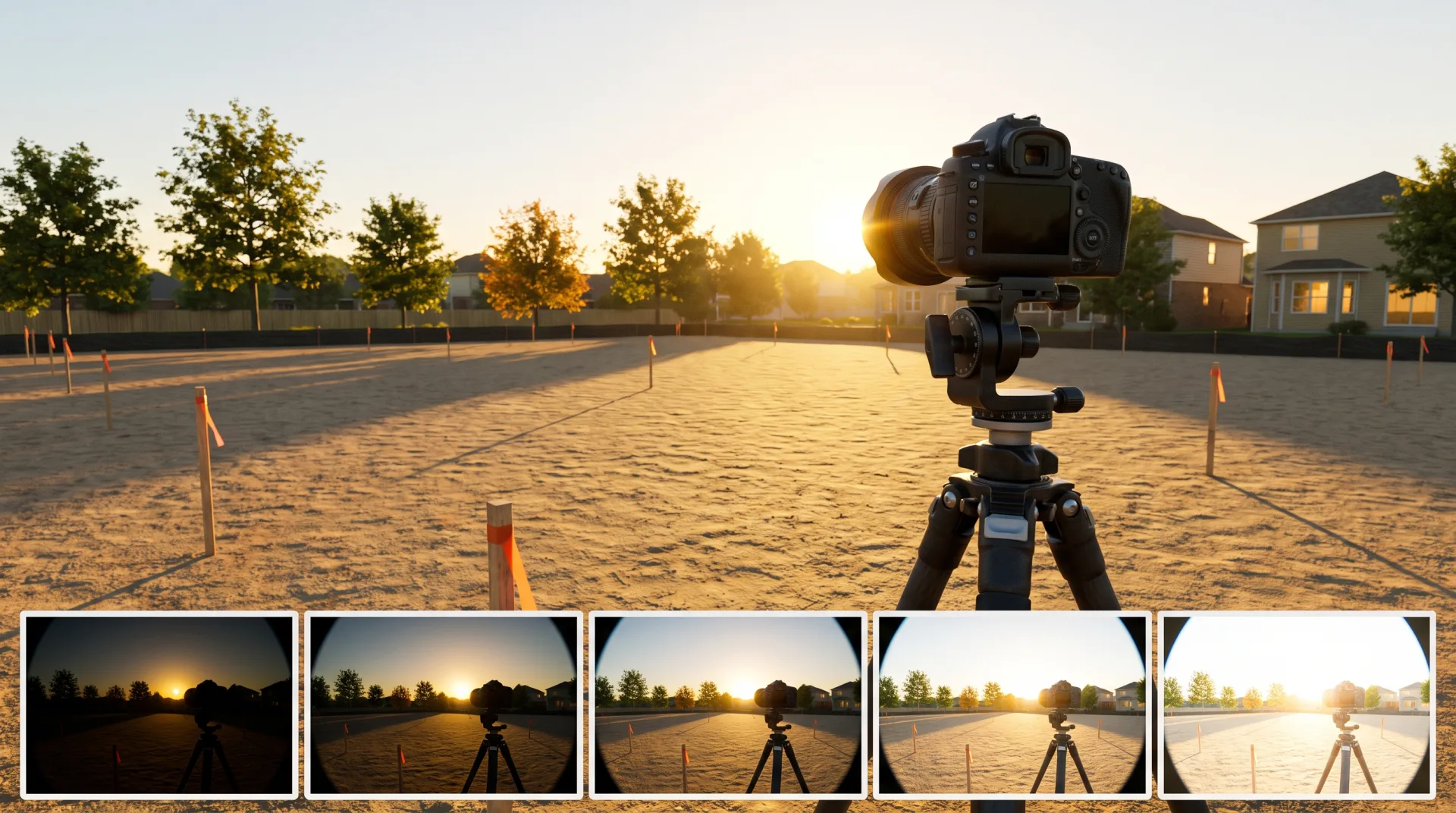
An HDRI is created by shooting bracketed exposures in every direction from a tripod with a fisheye or 360 camera and merging them into one 32-bit equirectangular panorama. The HDRMAPS guide to creating HDRI maps recommends five shots 3 stops apart on a modern full-frame camera, or seven shots 2 stops apart on older cameras, and a 9- or 10-stop neutral density filter so even the sun is captured without clipping.
- Set up the tripod and nodal head. The panoramic head rotates the camera around the lens's no-parallax point, so the shots stitch without seams.
- Bracket each direction. Shoot a full bracket, from very dark to very bright, so every light value from the sun to the shadows is captured in at least one exposure.
- Shoot all directions. With a fisheye, HDRMAPS describes six positions around plus one straight up and one straight down.
- Merge to 32-bit. Each bracket is combined into one high dynamic range image per direction.
- Stitch to equirectangular 2:1. The directions are stitched into one panorama, twice as wide as it is tall, and saved as .exr or .hdr.
How can I convert an image to HDRI?
A single ordinary photo cannot become a true HDRI, because a JPEG clips the sun and highlights to white; it can only be stretched into a panorama with fake light values, which gives flat lighting and wrong shadow strength. Tools that turn one photo into an HDRI guess what lies outside the frame and invent the brightness of the sun. The result can work as a distant background or a reflection, but it will not light a building with the shadow contrast of a real sky. For lighting, use a real HDRI and, if needed, place your own photo as the visible background in post-production.
Is HDRI free, and where do you get a free HDRI?
Many HDRIs are free: Poly Haven publishes its whole library under CC0, and paid libraries sell higher-resolution and site-specific skies. A free HDRI from a reputable library is good enough for most renders; the limits are resolution and choice of location.
| Source | License | Max resolution | Best for |
|---|---|---|---|
| Poly Haven | CC0: any use, including commercial, no credit needed | 993 of its 997 HDRIs go to 16K (16,384 x 8,192) or more, as .hdr and .exr | General skies, interiors and studios, free |
| HDRMAPS free section | CC BY 4.0, which allows commercial use with credit, per CG Channel | Up to 10,000 x 5,000 pixels on the free files | Extra free skies; commercial packs sold separately |
| Poliigon | Free assets usable in personal and commercial projects; paid license for the rest; no redistribution | Varies by asset | Matched sets of HDRIs and textures |
| Self-shot site HDRI | Owned by whoever shot it | Set by the camera and number of shots | Placing a building in its exact site and light |
What are gradient and gray HDRIs used for?
Gradient and gray studio HDRIs are near-uniform panoramas with no visible landscape, used for product and furniture renders where the reflections must be clean and neutral. A gradient HDRI runs smoothly from a brighter top to a darker floor, giving a soft top-light and a gentle horizon line in glossy surfaces. An HDRI gradient of this kind keeps a chrome faucet or a lacquered chair from reflecting trees and clouds that are not in the picture. An HDRI gray studio map, usually with a few soft rectangular light panels, is the standard reflection setup in our product visualization work, because it shows the shape of a product through clean highlights without adding color.
What is the best HDRI source for rendering?
The best HDRI source for an architectural render is one shot at the real site or a matching climate and time of day, because the sky's color and sun angle are what make a building look as if it belongs there. A clear high-desert noon gives hard, short shadows and a deep blue sky. An overcast coastal sky gives no shadows at all and soft, even light on every facade. A dusk sky gives warm, low light and a glow in every window. The difference is largely one of color temperature: a dusk HDRI carries warm, low-Kelvin light, an overcast one cool light.
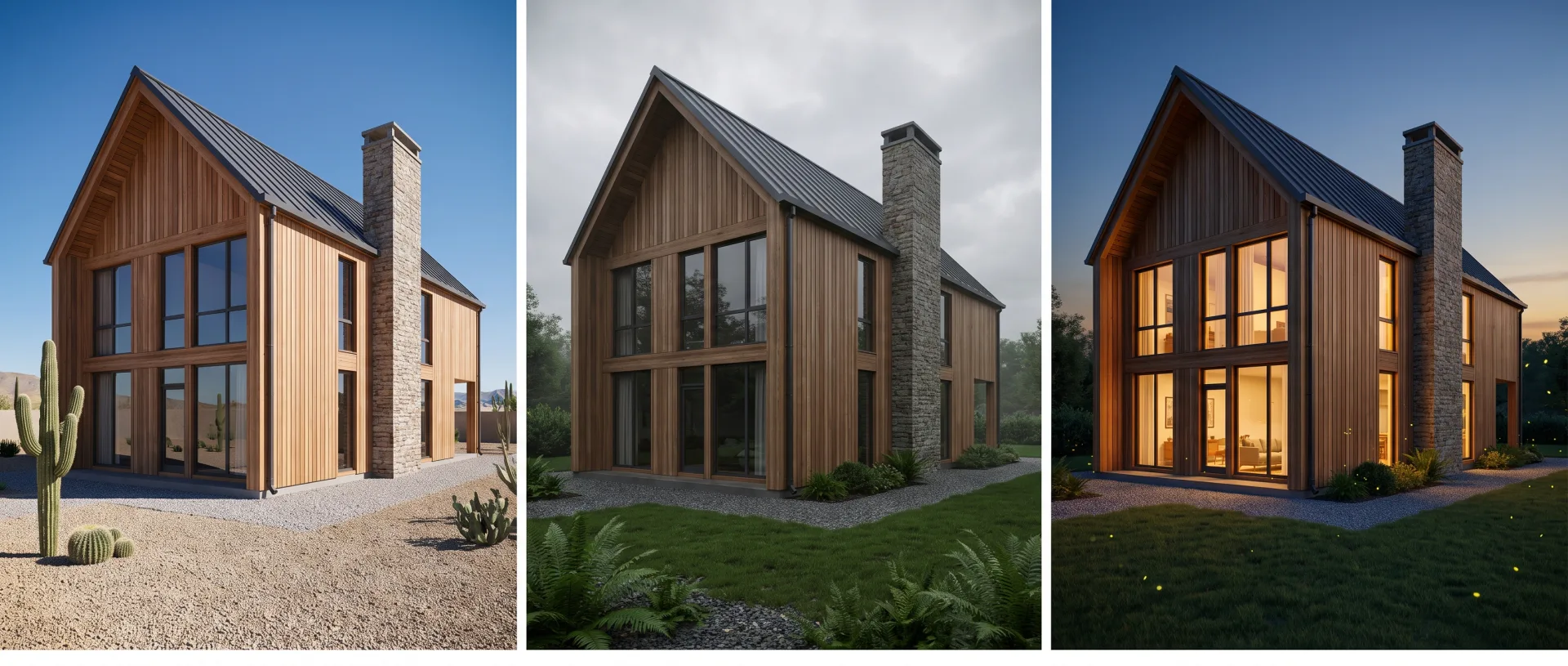
Resolution matters less than fit. A 16K HDRI of the wrong climate looks worse than an 8K HDRI of the right one, because viewers read the sky and shadows long before they notice detail in the reflections.
How does the agency match a real site's sky and sun with an HDRI?
We match a site by choosing an HDRI for the location's latitude, orientation and time of day, then rotating it so the sun falls where it will fall on the finished building. Where the client or their photographer has shot an HDRI on the site, we light the scene with that file instead.
- Take the site location and orientation from the client. We need the address or coordinates, a site plan with north marked, and the time of day and season the image should show.
- Choose or use an HDRI. We pick a sky from an HDRI library that matches the climate, cloud cover and time of day, or use a site HDRI the client supplies.
- Rotate the sun to the real orientation. The HDRI is turned until its sun sits at the bearing and height it will have over the site, so shadows fall the way they will on the real facade.
- Sign off a test render. The client approves the light on the clay draft, before materials and landscape go on, so the sun is fixed early.
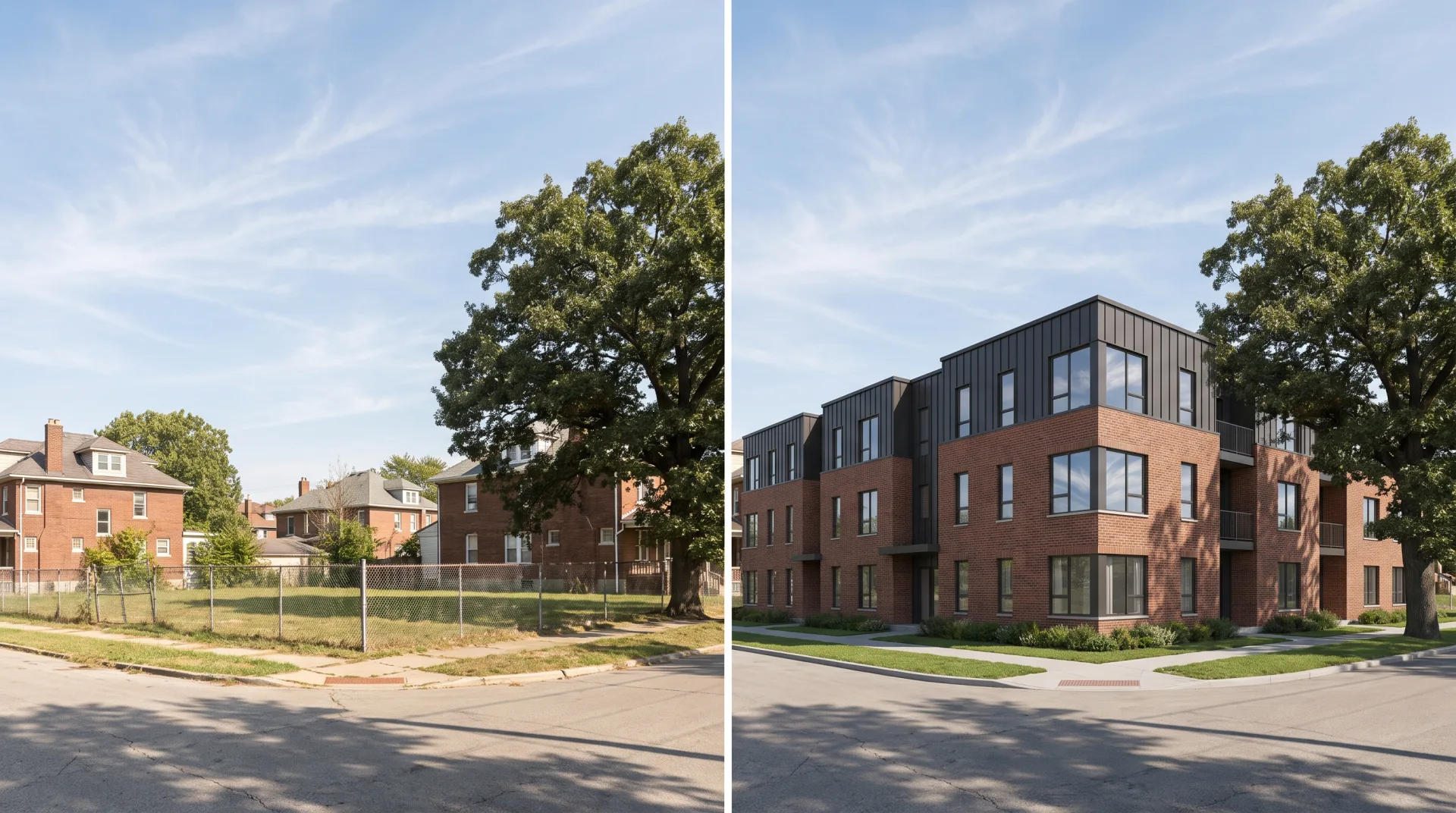
At 3DRenderingAgency, where the people lighting each scene have designed buildings themselves, site-matched HDRI lighting is part of every exterior view we deliver, at the same per-view price as the rest of the image. See the page on our exterior renderings for prices, turnaround and what to send.